

 Laptops PC Laptops PC News Chromebook user? ChromeOS M117 update coming; camera to GIFs, check these top 5 features
 Chromebook user? ChromeOS M117 update coming; camera to GIFs, check these top 5 features
Google has introduced a number of new features in the ChromeOS 117, which it has listed on its Google Support page.





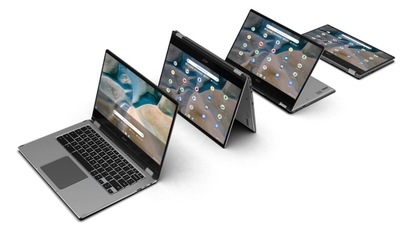
Google has finally announced the release of ChromeOS 117 for Chromebooks. This update will bring various features that will enhance the user experience. Google has introduced various features in the ChromeOS 117, which it has listed on its Google Support page. Check out the top 5 new features that will be available for users:
Join meetings with the ChromeOS calendar
You can now join your important meetings directly through your calendar. To access this feature, you have to click on the date to see the new ChromeOS calendar. It will show any upcoming meetings and with a button to join them directly. Moreover, Google is also adding multi-day event support.
Efficient camera and microphone privacy control
This feature will provide Chromebook users with more efficient camera and microphone privacy controls. As stated by Google on its support page, “Later this year, users will be able to manage their camera and microphone settings across the operating system from one place in Settings.” With this feature, you can turn off your camera or microphone all from one place, with just one click. Along with this, Google has also introduced new privacy indicators on the bottom right status area so that users can be informed when apps are using the mic or camera.


laptop to buy?
ChromeOS Personalization App
This is an amazing feature for those who like to personalize their Chromebook. Now, you can go to the Wallpaper & Style setting to customize the color pallet to your preference. And you can always turn off this feature if you prefer more basic neutral colors.
New GIF feature
Those who like to express them with GIFs, have good news. Now, you can use GIFs on your Chromebook. Google has updated the emoji picker with GIF support.
Time-lapse Recording
Now, you can use Time-Lapse recording in the built-in Camera app. To access this feature, you can go to the Camera App, select Video, and then choose Time-Lapse. You can continue recording as long as you have storage space available in your Chromebook.
It is still uncertain when these new features will be rolled out completely. According to Google, every Chromebook is not going to get the update immediately, but it will be available to everyone soon. Till then, do not forget to keep an eye out for the upgrade.
One more thing! HT Tech is now on WhatsApp Channels! Follow us by clicking the link so you never miss any update from the world of technology. Click here to join now!
Catch all the Latest Tech News, Mobile News, Laptop News, Gaming news, Wearables News , How To News, also keep up with us on Whatsapp channel,Twitter, Facebook, Google News, and Instagram. For our latest videos, subscribe to our YouTube channel.
Related Stories


 Follow our Page
 Follow our Page
 Follow our Channel