

 Filters

Filters
Price
₹
to
₹
Brand

GRAPHIC PROCESSOR BRAND
OPERATING SYSTEM
Battery
PROCESSOR BRANDS
SCREEN SIZE
EXPANDABLE MEMORY
SSD SIZE
PROCESSOR SPEED
HDD SIZE
RAM TYPE
Weight
MORE FEATURES
PROCESSOR

Windows Os Laptops
Windows OS Laptops in India 2025
Looking for the best Windows OS laptops in India 2025? You've come to the right place because the landscape ... of portable computing has shifted dramatically this year. Windows remains the most versatile platform for Indian users, offering everything from ultra-budget student machines to high-octane gaming rigs and sleek professional ultrabooks. When you're scouting for a Windows laptop, you aren't just buying hardware; you're buying into an ecosystem that supports every professional software, game, and creative tool imaginable. The real challenge in 2025 isn't finding a laptop—it's finding one that doesn't compromise on thermal management or battery life, which are the two areas where mid-range Windows machines often stumble. Whether you need a best Windows laptop for office work or a gaming laptop with Windows to handle AAA titles, prioritizing a balance between CPU efficiency and build quality is essential. For 2025 buyers, the focus has moved toward AI-integrated processors and faster SSD standards as the baseline for a smooth experience. You'll want to look beyond the flashy stickers and check if the port selection and display brightness meet your specific daily needs. Here's how to pick the right one for you.What to Look For When Buying a Windows OS Laptop in 2025
- CPU & Architecture: In 2025, don't settle for anything less than a 12th Gen Intel Core i3 or Ryzen 3 for basic tasks. For serious productivity, an i5 or Ryzen 5 is the sweet spot. If you're a power user, look for the "H" series processors rather than "U" series to ensure higher sustained performance, though this usually comes at the cost of some battery life.
- RAM & Storage: 8GB of RAM is the absolute minimum, but for a "future-proof" Windows laptop, 16GB is highly recommended. Windows 11 thrives on more memory, especially if you keep dozens of browser tabs open. For storage, always insist on an NVMe SSD; even a 256GB SSD is faster and more reliable than any traditional hard drive.
- Display Quality: Many budget Windows laptops cut corners here with dull TN panels. Look for an IPS display with at least 250-300 nits of brightness. If you're working near windows or outdoors, a matte anti-glare coating is a lifesaver. For creators, check for sRGB color accuracy percentages to ensure what you see is what you get.
- Thermal Management: A laptop is only as fast as its cooling system allows it to be. Thin laptops often throttle speed when they get hot. Check user reviews for fan noise and heat zones, especially around the WASD keys if you plan on gaming or the palm rest for typing comfort.
- Port Selection & Connectivity: In 2025, a USB-C port with Power Delivery (PD) is a huge advantage, as it allows you to use a single charger for your phone and laptop. Ensure there is at least one HDMI port for external monitors and a physical webcam shutter if you value privacy.
- Build Material: While plastic is common in budget segments, look for reinforced hinges and minimal deck flex. An aluminum lid or chassis not only feels premium but also helps dissipate heat better than thick plastic.
Which Windows OS Laptop Is Right for You?
- The Corporate Professional: You need reliability and a great keyboard. Models like the Dell XPS 13 or Samsung Galaxy Book4 are ideal because they offer long battery life and look sophisticated in boardrooms.
- The Engineering Student: You'll be running CAD or simulation software. Look for a laptop with a dedicated GPU and a high-performance CPU. The HP Victus or ASUS Vivobook 16 with dedicated graphics provide the necessary muscle without breaking the bank.
- The Content Creator: Color accuracy is your priority. The ASUS ROG Zephyrus G14 or high-end Vivobook models with OLED screens are the best bets for editing video and photos on the go.
- The Budget-Conscious Student: If you just need to write assignments and stream movies, the Acer Aspire 5 or Lenovo IdeaPad Slim 3 offer the best value-for-money performance in the entry-level segment.
- The Hardcore Gamer: Look for high refresh rate screens and the best cooling. The MSI Sword 16 HX is built specifically for this, sacrificing portability for raw frames-per-second.
Best Windows OS Laptops in India 2025: Quick Reviews
Dell XPS 13 (9315) ( ₹1,14,990)
Key Specs: Intel Core i5-1230U, 16GB LPDDR5 RAM, 512GB SSD, 13.4-inch FHD+ DisplayWhy It Stands Out: It is the gold standard for Windows portability with its nearly borderless InfinityEdge display and premium CNC machined aluminum build.
Expert Opinion: If you're a frequent traveler who needs a best Windows laptop that weighs almost nothing, this is your winner. The build quality is unmatched, and the battery lasts through a full workday of light office tasks. However, it's overkill for someone who just stays at a desk. You're paying a premium for the engineering and the brand name. The biggest trade-off is the lack of ports; you'll definitely need a dongle for anything other than USB-C. It's a luxury tool for executives, not a powerhouse for video editors.
Real-World Pro: The ultra-compact footprint fits easily on even the smallest airplane tray tables.
Real-World Con: Extremely limited port selection means you can't even plug in a standard thumb drive without an adapter.
HP Victus 15 ( ₹68,990)
Key Specs: Intel Core i5-13420H, 16GB DDR4 RAM, 512GB SSD, NVIDIA RTX 3050 GPUWhy It Stands Out: It offers a sophisticated, non-gamer aesthetic while packing enough power to handle modern gaming and heavy multitasking.
Expert Opinion: The Victus 15 is a fantastic gaming laptop with Windows for people who don't want their computer to look like a spaceship. It handles 1080p gaming with ease and is great for students who need to run heavy software. Don't expect a lightweight experience here; it's chunky and the battery life is average at best when you're unplugged. The screen could be brighter for outdoor use, but for indoor productivity and gaming, it hits the sweet spot of price and performance.
Real-World Pro: The keyboard is tactile and comfortable for long typing sessions or late-night gaming.
Real-World Con: The screen hinge feels a bit wobbly if you use it in a moving vehicle or under a high-speed fan.
ASUS Vivobook 16 ( ₹45,990)
Key Specs: AMD Ryzen 5 7530U, 8GB RAM, 512GB SSD, 16-inch WUXGA DisplayWhy It Stands Out: It provides a massive 16-inch screen real estate at a price point where most competitors only offer 14-inch displays.
Expert Opinion: This is a budget Windows laptop dream for those who hate squinting at small text. The 16:10 aspect ratio is perfect for Excel sheets and split-screen multitasking. It's surprisingly light for its size, but the plastic build does feel a bit hollow. If you're a heavy multitasker, you'll want to upgrade the RAM eventually. It's a solid choice for home offices or students who prioritize screen size over raw gaming power. Just don't expect it to survive a heavy drop.
Real-World Pro: The physical webcam privacy shield gives you peace of mind without needing ugly stickers.
Real-World Con: The 8GB of RAM can feel sluggish if you have too many Chrome tabs and Spotify running simultaneously.
Lenovo IdeaPad Slim 3 ( ₹36,990)
Key Specs: Intel Core i3-1215U, 8GB RAM, 512GB SSD, 15.6-inch FHD DisplayWhy It Stands Out: It is one of the most reliable entry-level machines for students, offering a decent keyboard and a functional port layout.
Expert Opinion: For anyone looking for an affordable student Windows laptop in 2025, this is a very safe bet. It isn't fast enough for video editing or gaming, but for Zoom calls, Word documents, and Netflix, it's perfectly adequate. The battery life is surprisingly decent because the processor doesn't draw much power. The trade-off is the display; the viewing angles are narrow, and colors look a bit washed out. It’s a functional tool, not a media consumption powerhouse.
Real-World Pro: The Rapid Charge feature is great for students who forget to plug in their laptop overnight.
Real-World Con: The speakers are quite weak, so you'll definitely need headphones for movies or calls.
Samsung Galaxy Book4 ( ₹74,990)
Key Specs: Intel Core i5-1335U, 16GB RAM, 512GB SSD, 15.6-inch FHD LED DisplayWhy It Stands Out: It offers incredible integration with the Samsung ecosystem, making it the "MacBook of the Android world" for Galaxy phone users.
Expert Opinion: If you already own a Samsung phone or tablet, this Windows OS laptop adds a layer of convenience you won't find elsewhere. You can use your tablet as a second screen and sync files instantly. It's thin, light, and looks very professional. However, the screen is a standard LED rather than Samsung's famous AMOLED, which is a bit disappointing at this price. It's a great choice for business users who value a slim profile and brand reliability over raw horsepower.
Real-World Pro: Seamless file sharing with Galaxy devices makes mobile-to-PC workflows incredibly fast.
Real-World Con: The display brightness is a bit low for working in very bright, sunlit cafes.
Acer Aspire 5 ( ₹52,990)
Key Specs: Intel Core i5-1335U, 16GB RAM, 512GB SSD, 14-inch FHD DisplayWhy It Stands Out: It packs 16GB of RAM and a current-gen i5 processor at a price where others are still offering older chips or less memory.
Expert Opinion: The Aspire 5 is the "workhorse" of the mid-range market. It doesn't have a flashy design, but it's built to last and handles everyday office work without breaking a sweat. It's a great best Windows laptop for small business owners. The 16GB RAM ensures you won't face lag for several years. The main downside is the design, which feels a bit dated compared to the sleekness of ASUS or HP models. It's a practical choice, not an emotional one.
Real-World Pro: It has plenty of ports, including an Ethernet port, which is rare on 14-inch laptops today.
Real-World Con: The fan can get quite loud and high-pitched when the laptop is under heavy load.
MSI Sword 16 HX ( ₹1,35,990)
Key Specs: Intel Core i7-14650HX, 16GB RAM, 1TB SSD, NVIDIA RTX 4060 GPUWhy It Stands Out: It’s a high-performance beast featuring a 14th Gen HX series processor designed for desktop-class performance in a laptop.
Expert Opinion: This is a gaming laptop with Windows for someone who demands high frame rates in competitive titles like Valorant or CS2. The 144Hz screen is buttery smooth. However, it's heavy and the power brick is huge, so don't expect to carry this to college every day comfortably. It’s essentially a portable desktop. If you do 3D rendering or heavy video work, the 14th Gen i7 is a massive help. The trade-off is the battery, which will barely last two hours if you're doing anything intensive.
Real-World Pro: The thermal design keeps the keyboard area remarkably cool even during 3-hour gaming sessions.
Real-World Con: Battery life is extremely poor, making it almost unusable without being plugged into a wall.
ASUS ROG Zephyrus G14 ( ₹1,49,990)
Key Specs: AMD Ryzen 9 8945HS, 16GB RAM, 1TB SSD, NVIDIA RTX 4050 GPU, OLED DisplayWhy It Stands Out: It’s arguably the best 14-inch laptop in the world, combining elite gaming power with a stunning OLED screen and great battery life.
Expert Opinion: If budget isn't a primary concern and you want the absolute best Windows laptop experience, this is it. The OLED screen makes everything from movies to spreadsheets look incredible. It’s powerful enough for gaming but light enough for a backpack. The trade-off is the price—it's very expensive for the specs on paper, but you're paying for the perfect form factor. It can get quite hot due to its small size, so using it on your lap while gaming is a bad idea.
Real-World Pro: The speakers are the best in the Windows world, rivaling even the MacBook Pro.
Real-World Con: The RAM is soldered on this year's model, so you can't upgrade it later; buy what you need now.
Dell Vostro 3520 ( ₹38,990)
Key Specs: Intel Core i3-1215U, 8GB RAM, 512GB SSD, 15.6-inch 120Hz DisplayWhy It Stands Out: It brings a high 120Hz refresh rate to the budget segment, making the basic Windows interface feel much smoother.
Expert Opinion: This is a no-nonsense budget Windows laptop designed for small businesses and basic home use. The 120Hz screen is a surprising touch that makes scrolling through long documents feel very fluid. However, the build is entirely plastic and feels a bit cheap. The battery life is just okay, and it lacks premium features like a backlit keyboard. It's a great choice if you need a reliable machine with a good warranty and local service support across India.
Real-World Pro: Dell's service network in India is excellent, making this a safe choice for non-tech-savvy users.
Real-World Con: The display colors are quite dull, making it poor for photo editing or watching high-quality movies.
HP Laptop 15s ( ₹54,990)
Key Specs: Intel Core i5-1235U, 16GB RAM, 512GB SSD, 15.6-inch FHD DisplayWhy It Stands Out: It is a very well-balanced all-rounder that provides 16GB of RAM and a backlit keyboard at a very competitive mid-range price.
Expert Opinion: The 15s is the quintessential "safe choice" for 2025 buyers. It doesn't excel at any one thing, but it does everything reasonably well. The 16GB of RAM is the highlight here, ensuring that you won't see the "out of memory" errors that plague 8GB laptops. It’s a great student Windows laptop for those who need to keep the machine for 4-5 years. The build is plastic but feels sturdy enough for daily use. The only real con is the lack of a USB-C charging port on some variants.
Real-World Pro: The dedicated numeric keypad is a huge help for students or professionals working with Excel.
Real-World Con: The webcam quality is quite grainy, so you'll look a bit blurry in low-light video calls.
Editor's Picks: Best Windows OS Laptops in 2025
ASUS ROG Zephyrus G14 ( ₹1,49,990)
Key Specs at a Glance: Ryzen 9 8945HS, OLED 120Hz Display, RTX 4050, 1.5kg weightCritical Upgrades Rating: Low
Upgrade Analysis: Since the RAM is soldered, there is no way to upgrade it later. You might want to upgrade the 1TB SSD in 3 years if you store lots of 4K video, but otherwise, this is a "buy once, use for five years" machine.
Analyst's Final Verdict: This is the ultimate Windows machine for those who want no compromises. It nails the display, the power, and the portability. Buy this if you are a creative professional who also likes to game. Skip it if you just want a simple machine for office work—it’s way too much power and money for basic tasks.
HP Victus 15 ( ₹68,990)
Key Specs at a Glance: Intel i5-13th Gen, RTX 3050 GPU, 16GB RAM, 144Hz ScreenCritical Upgrades Rating: Medium
Upgrade Analysis: You will likely feel the need to add a second SSD in about 2 years as game sizes continue to grow. The RAM is already at 16GB, which is sufficient for most modern tasks.
Analyst's Final Verdict: This is the best value-for-money gaming laptop with Windows right now. It is perfect for students who need one machine for both college projects and evening gaming sessions. It's built well enough to survive a commute, though it is heavy. Skip it if you need something to work on while traveling without a charger.
Dell XPS 13 ( ₹1,14,990)
Key Specs at a Glance: Intel i5-12th Gen, 16GB RAM, 13.4-inch InfinityEdge Display, 1.17kgCritical Upgrades Rating: Critical (External)
Upgrade Analysis: You will immediately need to buy a high-quality USB-C hub. Internally, the laptop is not designed for easy upgrades, so what you buy is what you'll live with for the life of the device.
Analyst's Final Verdict: Buy this if you are an executive or a writer who values aesthetics and portability above all else. It is the most beautiful Windows laptop on the market. Skip it if you do any heavy video editing or if you hate carrying dongles for your mouse and pendrives.
ASUS Vivobook 16 ( ₹45,990)
Key Specs at a Glance: Ryzen 5 7530U, 16-inch WUXGA Display, 512GB SSD, 1.8kgCritical Upgrades Rating: Medium
Upgrade Analysis: The 8GB of RAM will feel tight within 18 months. Adding another 8GB stick is a cheap and effective way to double the life of this laptop. The storage is plenty for basic users.
Analyst's Final Verdict: This is the best Windows laptop for home users and students on a budget. The big screen is a genuine quality-of-life improvement for movies and documents. It’s the best "first laptop" for a child or a parent. Skip it if you need to do professional color-sensitive work.
Acer Aspire 5 ( ₹52,990)
Key Specs at a Glance: Intel i5-13th Gen, 16GB RAM, 14-inch FHD, Multiple PortsCritical Upgrades Rating: Low
Upgrade Analysis: With 16GB of RAM and a 13th Gen processor, you won't need to touch the internals of this laptop for at least 3-4 years. It is a very balanced out-of-the-box experience.
Analyst's Final Verdict: This is the sensible choice for the pragmatic buyer. It isn't pretty, and it won't turn heads, but it will work reliably for years. It’s perfect for office workers or CA/Law students. Skip it if you want a machine that feels "premium" or has a high-end display for movies.
Quick filters:
493 Windows os Laptops (By Popularity)
Sort by:
Latest

 Sort by
 Popularity
 Latest
 Price: High to Low
Price: Low to High
Price: High to Low
Price: Low to High
-
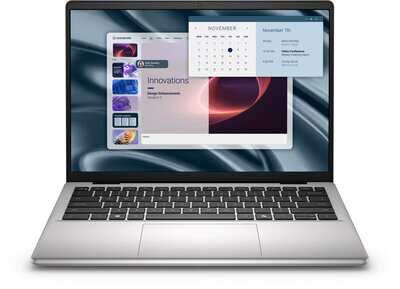
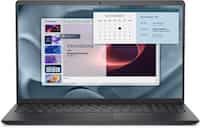
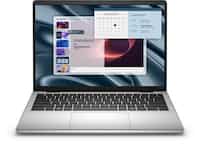
Dell Pro Essential 14
₹31,999 -
Dell Pro Essential 14
₹31,999 -
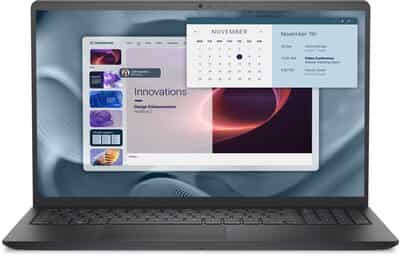
Dell Pro Essential 15
₹31,999 -

Acer Nitro V15 Intel Core i5
₹89,999 -

Acer Nitro V15 Intel Core i7
₹99,999 -
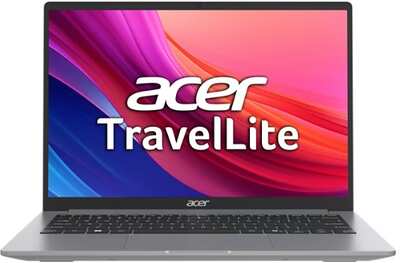
Acer TravelLite Essential
₹32,999 -
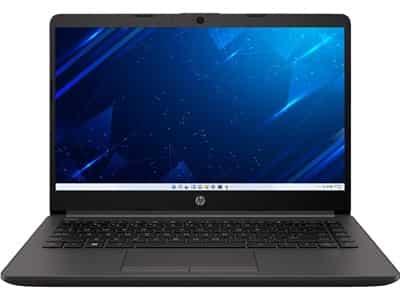
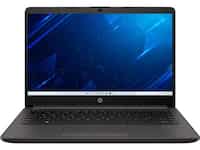
HP 14 2025
37% OFF ₹34,400₹55,000
-
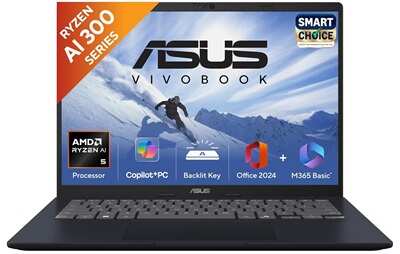
ASUS Vivobook 14 M1407KA LY132WS
28% OFF ₹58,990₹81,990
-
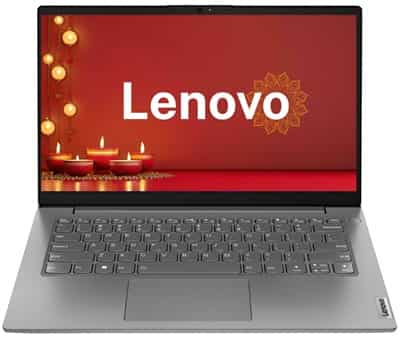
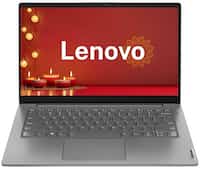
Lenovo V14 83A0A0PBIN
47% OFF ₹35,990₹68,000
-
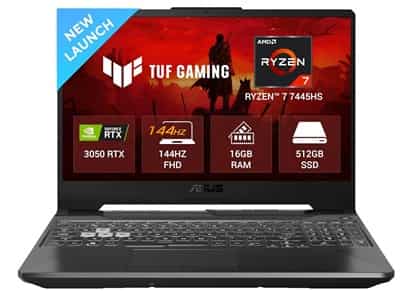
ASUS TUF A15 2025
15% OFF ₹70,990₹83,990
-
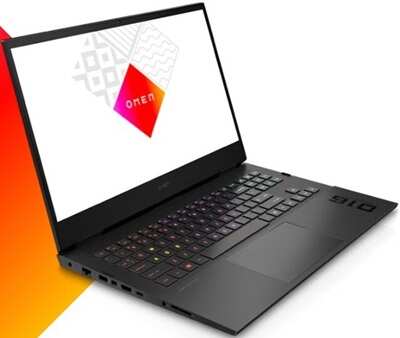
HP Omen 16
₹123,700 -
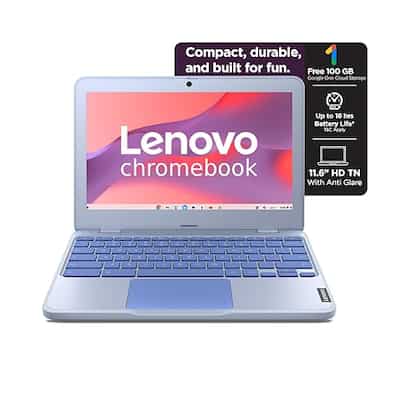
Lenovo Chromebook
56% OFF ₹16,190₹36,502
-
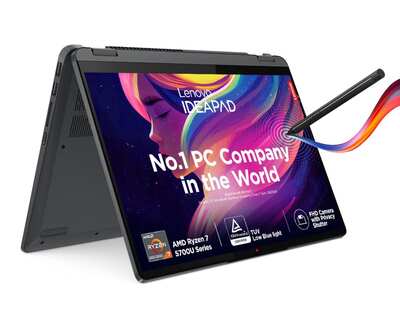
Lenovo IdeaPa dFlex 5 14ALC7
19% OFF ₹68,990₹85,000
-
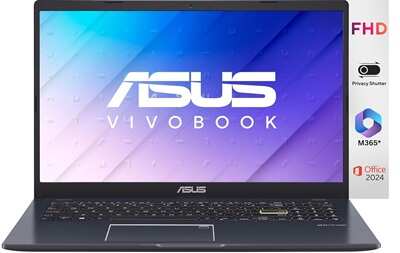
ASUS Vivobook Go 15 Intel Celeron
32% OFF ₹25,900₹37,990
-
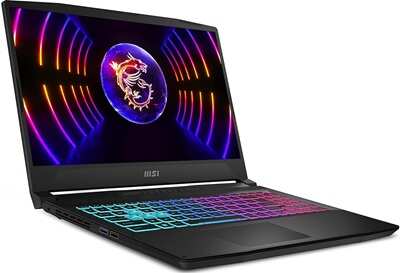
MSI Katana 15
16% OFF ₹107,990₹128,990

-

 02 Dec 2025
 -

Mongo version upgrade secondary product
13 Dec 2024 -
 18 Mar 2025
 -

Cache video oct 08 list elements
08 Oct 2024 -
 08 Oct 2024
-
 VSApple MacBook Air M4HP OmniBook X₹115,990₹114,490Compare Apple MacBook Air M4 vs HP OmniBook X
-
 VSApple MacBook Air M4 15 inchHP OmniBook X₹120,990₹114,490Compare Apple MacBook Air M4 15 inch vs HP OmniBook X
-
 VSSamsung Galaxy Book5 360HP OmniBook X₹107,199₹114,490Compare Samsung Galaxy Book5 360 vs HP OmniBook X
-
 VS
VS Samsung Galaxy Book5 Pro 360Acer Predator Helios Neo 16S AI₹163,990₹149,999Compare Samsung Galaxy Book5 Pro 360 vs Acer Predator Helios Neo 16S AI